
How to access megabet303 on mobile
We at megabet303 provide three ways to access our platform on mobile devices. Choose the method that suits your device and preference.
Installation steps for megabet303
- Download: Visit our app page or use the direct link to download the megabet303 APK file to your Android device, or open our web address in Safari on iOS.
- Install: On Android, enable "Unknown sources" in Settings → Security, then tap the APK file to install; on iOS, add megabet303 to your home screen via Safari's share menu.
- Register: Open the app or web version, enter your username, email, password, and mobile number, then verify your email address.
- Start: Deposit via DANA, e-wallet, mobile banking, local payment, online payment, e-wallet, mobile banking, local payment, online payment, or e-wallet, then access live-dealer tables, slot games, football betting, or esports markets.
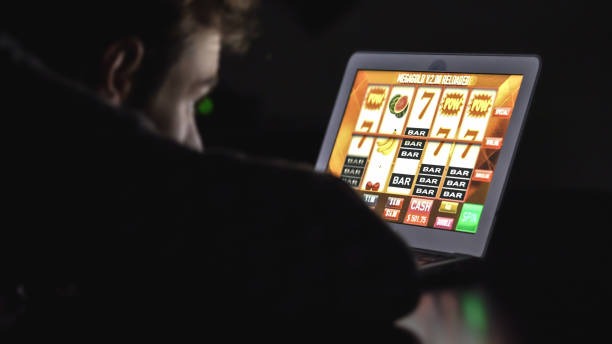
App versus browser: which is right for you
Our megabet303 app offers offline caching, which means game lists and account information load faster on repeat visits. Push notifications alert you to deposit confirmations, withdrawal status, and new tournaments without opening the app. The app also stores your login session securely, so you don't re-enter credentials every time. Browser access works on any device without installation and updates automatically when you refresh. Choose the app if you use megabet303 daily; choose the browser if you prefer simplicity or use multiple devices.
App strengths
- Offline caching for faster load times
- Push notifications for account updates
- Persistent login session
Browser strengths
- No installation required
- Works on any device
- Automatic updates
Device compatibility for megabet303
We at megabet303 support Android 7 and above on Android devices. This includes most phones and tablets released in the past six years. On iOS, we support version 12 and above, which covers iPhone 5s and newer models. If your device runs an older version, you can still access megabet303 through a web browser on any device with a modern browser such as Chrome, Safari, or Firefox. Check your device settings to confirm your operating system version before downloading the app.
Check your device version
On Android, go to Settings → About phone → Android version. On iOS, go to Settings → General → About → iOS version. If your version is older than the minimum, use the web browser instead.

Common installation issues and solutions
On Android, if you see "Unknown sources" error, enable it in Settings → Security → Unknown sources, then retry the installation. If the APK file doesn't download, check your internet connection and try again from a different network. On iOS, if you cannot add megabet303 to your home screen, ensure you're using Safari and that your iOS version is 12 or above. If the web app runs slowly, clear your browser cache and cookies, then refresh. If you see a certificate warning, this is normal for the first visit; tap "Continue" to proceed. We use SSL encryption to protect your data, so the connection is secure.
Data, permissions, and account security on megabet303
We at megabet303 encrypt your login credentials and payment information using SSL. We do not store your payment card details on our servers; payment processors handle this securely. The app requests permission to send notifications so you receive deposit confirmations and withdrawal updates. We do not access your contacts, photos, or other personal files. Before your first withdrawal, we verify your account by confirming your identity and payment method match your account holder name. This verification protects you from fraud and ensures funds reach the correct person. Your password is hashed and never stored in plain text. If you forget your password, use the password-reset link on the login page to create a new one.
We at megabet303 prioritize your security and privacy on every device and every transaction.